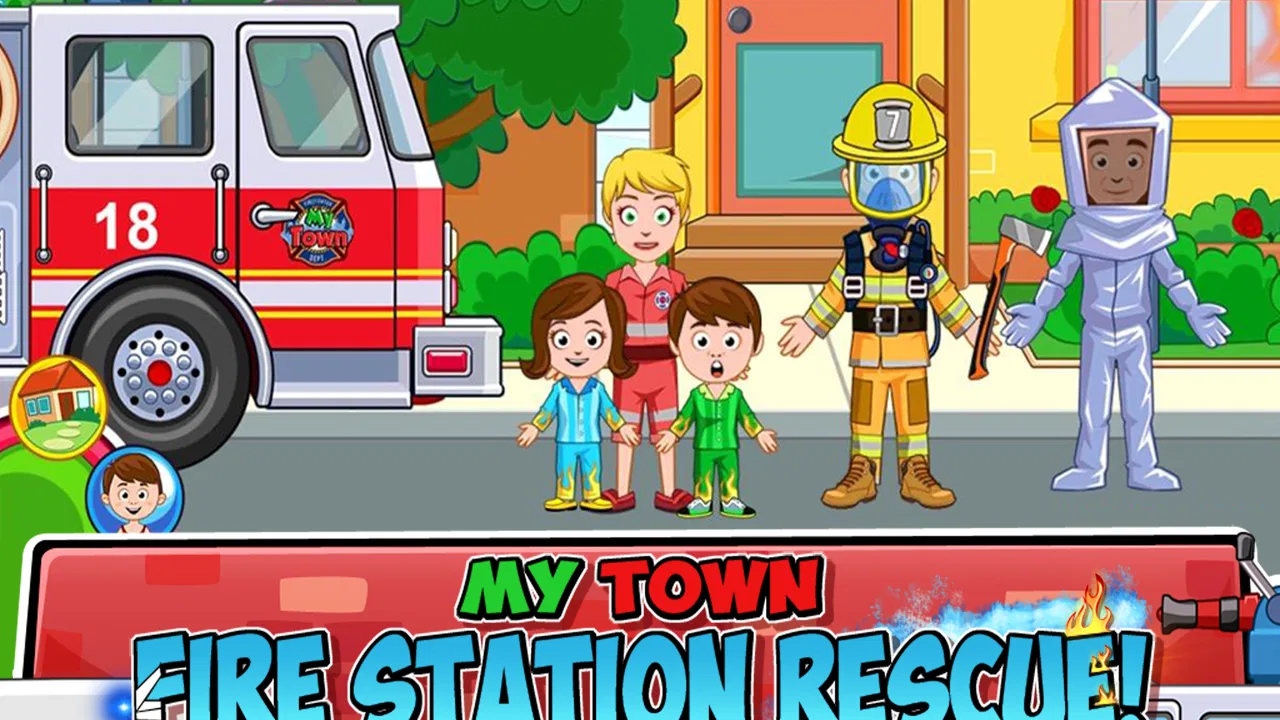
My Town : Fire station Rescue
- 4.3
- Rating
- 10.00K
- Installs
- $4.49
- Price
 Analysis by App-foxy
I spent time with My Town: Fire station Rescue as a small, open-ended role-playing game for children, and its best quality became clear quickly: it gives a child a familiar place to explore without forcing them through a complicated rule system. The setting is a fire station, so the play naturally revolves around helping people, preparing for emergencies, and imagining what it means to be part of a rescue team. It is an educational game, but it feels more like guided pretend play than a lesson disguised as a game.
That distinction matters in a household. A parent may expect a game that can be opened for a short, calm session, while a child may want to invent a longer story involving several characters. This title can support both uses, although it works best when an adult understands that its value comes from imagination rather than from a deep progression system. I would recommend it to families looking for a friendly fire-station setting and simple creative play, not to someone searching for a demanding emergency simulator.
How the fire station works as shared play
My first useful test was to treat the game as something two people might enjoy on the same device. One child can decide who needs help, while another chooses the characters and acts out the response. An adult can join without needing to learn complex controls, because the appeal is based on moving through the station and creating situations rather than mastering difficult timing. That makes it a reasonable choice for a waiting room, a quiet afternoon, or a short shared session before bedtime.
You May Also Like

 Blood Strike: 2.5 Anniversary
Blood Strike’s Loadouts Turn Every Drop Into a Tactical Gamble
A close look at Blood Strike’s custom loadouts: how fast access to signature weapons reshapes its battle royale rhythm, rewards preparation, and narrows the gap between fights.

 Pandora - Music & Podcasts
Pandora’s Music Is Easy to Start, but Harder to Recover
Pandora’s strength is its low-effort path from a seed to a station. Its weak spot is how much confidence it asks you to place in connection, setup, and quiet recovery.

 8 Ball Pool
 Is Built on Rivalries, Rematches, and Routine
A close look at the rivalries, rematches, shared routines, and unanswered safety questions that turn a quick pool match into a persistent mobile community.

 Samsung Music
’s Quiet Strength Is Playing What You Already Own
Its reach comes less from spectacle than from dependable access to a personal library. That simplicity is both the app’s strongest retention engine and its ceiling.

 AccuWeather: Weather Radar
AccuWeather Review: A Quick, Clear Forecast for Everyday Decisions
For everyday plans, the best forecast is the one you can understand quickly. AccuWeather makes rain timing, radar, and local conditions easy to act on, with a few trade-offs.

 Hill Climb Racing
Why Hill Climb Racing Still Turns Crashes Into One More Run
A tiny car, a bumpy hill and one more upgrade: Hill Climb Racing keeps resurfacing because its simple chaos makes every near-miss feel personal.
More From Our News Desk
View All News


The fire-station theme gives children an easy starting point. Instead of asking them to invent an entire world from nothing, it offers a setting with an obvious purpose: people prepare, respond, and help. From there, a child can turn a simple interaction into a story about teamwork, responsibility, or solving a problem. I found that this kind of prompt is more useful than a blank sandbox for younger players who want freedom but still need an idea to begin with.
There is also a practical advantage to the setting when siblings have different interests. A child who likes vehicles or action can focus on rescue scenarios, while another who prefers characters and conversation can build a story around the people at the station. The game does not need both players to enjoy exactly the same part of play. That flexibility is one reason it fits a shared-device household better than a narrowly competitive game.
Still, shared play requires realistic expectations. This is not a multiplayer experience in which two children independently control separate devices or compete through a connected session. The natural household use is taking turns, passing the device, or playing together while one person suggests what happens next. If your main goal is synchronized online play, this is the wrong type of game. If your goal is conversation and cooperative imagination around one screen, it makes considerably more sense.
Why short sessions can work well
A useful routine is to give each player a small role before starting. One child can be the person who notices the problem, another can decide how the rescue unfolds, and the adult can ask what should happen after everyone is safe. This prevents the session from becoming random tapping and turns the game into a simple storytelling exercise. It also helps when children are sharing, because the turns have a purpose instead of being an argument over who holds the device.
I would not treat every session as an educational activity. Sometimes a child will simply move characters around and enjoy the setting. That is fine. The educational value is indirect: children practice sequencing, communication, role-playing, and thinking about helpful actions. Those benefits appear when someone talks through the situation, so the game is stronger as a shared activity than as a silent screen experience.
Setup, device boundaries, and everyday use
The game comes from My Town Games Ltd and is listed as a paid title at $4.49. That changes the household conversation in a useful way: it is a purchase to consider before handing the device over, rather than a free download that may lead to unexpected spending during play. I appreciate that distinction for family use, although the price still means the game should match your child’s interests before you buy it.
It was released on March 1, 2017, and the current version is 7.03.06. It requires Android 8.0 or later. Those details are worth checking before installing on an older family tablet or a hand-me-down phone. A child may be perfectly suited to the game, yet the device may be the limiting factor. I would check the operating system first, especially if the household keeps one older tablet for children and newer phones for adults.
Because this is a paid game, I would make the purchase on the household device that will actually be used most often. Moving between several family devices can create unnecessary confusion about which account made the purchase and where the game is available. I would also decide in advance whether the device is a shared play tool or one child’s regular device. That simple boundary makes it easier to avoid disputes over saved progress, play time, and who gets the next turn.
I found it helpful to establish a small routine before opening the game: choose a session length, agree on who starts, and decide whether the adult is joining or simply supervising. These are not game features; they are household habits that make a big difference. An open-ended game can otherwise become difficult to stop because there is no obvious final level or victory screen that announces the end.
That lack of a conventional finish is both a strength and a limitation. It means a child can return to the fire station and create a new situation without repeating a fixed campaign. It also means the adult may need to provide the stopping point. For families that prefer games with clear stages, missions, and rewards, a structured educational title may be easier to manage. For families comfortable with imaginative play, the open format is much less restrictive.
A practical shared-device routine
In an everyday scenario, I can imagine using it after school while dinner is being prepared. A child could play independently for a short period, then explain the rescue story at the table later. On a weekend, two siblings could take turns directing the same scene, with each person responsible for a different part of the story. The important point is to treat the game as a prompt for activity, not as a substitute for supervision or conversation.
For a younger child, I would begin with a very simple task: find the person who needs help, decide what the rescuers should do, and finish by describing the result. For an older child, I would ask for a more complete scenario involving preparation, response, and recovery. This gradually increases the thinking involved without requiring the game itself to become more complicated. It is a good way to get more value from the same setting.
One trade-off is that the game may be more engaging for a child who enjoys pretend play than for one who needs constant goals. If your child asks, “What do I do next?” every few minutes, the open-ended design may feel empty without an adult offering ideas. In that case, a puzzle game, a level-based learning app, or a more structured rescue game would probably be a better fit.
Coordination, conversation, and the limits of pretend rescue
The fire station provides a natural way to talk about coordination. A child can decide who responds, what needs to happen first, and how the characters work together. I especially like using the game to ask questions rather than giving instructions: “Who noticed the problem?” “What should happen before the rescue?” “How will everyone know what to do?” These prompts turn a simple scene into practice for planning and explaining decisions.
That does not make the game a real-world safety course. I would not use it to teach emergency procedures, evacuation rules, or professional firefighting. The setting may encourage helpful conversations, but pretend actions should not be confused with accurate instruction. If a child asks what to do during an actual fire, the answer should come from trusted adults and local safety guidance, not from the game.
The strongest coordination use is between people playing together. One person can narrate while another moves characters, which is surprisingly effective for children who are still learning to describe events in order. Switching roles gives each player practice with both planning and execution. It also reveals whether a child prefers control, storytelling, or collaboration, which can help an adult choose other games later.
There is a subtle trade-off here. Open-ended play gives children room to change the story, but it does not necessarily teach them how to resolve disagreements. Two siblings may both want to control the same character or decide what the rescue means. I would handle that with a turn rule or rotating director role. The game supplies the setting; the household supplies the cooperation structure.
Another useful approach is to create a beginning, middle, and end before starting. The beginning introduces the situation, the middle covers the response, and the end explains what happens afterward. This keeps the session focused and prevents endless rearranging. It also makes the game more accessible to a child who enjoys stories but becomes overwhelmed by too many possible actions.
Where it differs from ordinary educational games
Compared with flashcard apps, spelling games, or arithmetic practice, this title teaches through context rather than direct questions. There are no study targets for a child to complete in the same way a conventional learning app might present them. Its learning value depends on what the player does with the setting. That makes it less measurable, but potentially more natural for children who resist formal exercises.
Compared with action games about rescuers, it is also gentler in purpose. The focus is not on fast reactions, combat, or chasing a high score. That can make it more suitable for a calm shared session, but it may disappoint children who expect urgency and challenge from a fire-station theme. The setting suggests action while the play style leans toward imaginative exploration, so expectations matter.
Compared with a completely open creative sandbox, the fire station gives more direction. A child does not have to decide what kind of world to build before playing. The compromise is that the setting is narrower. If your child quickly exhausts fire-rescue stories or prefers fantasy, animals, construction, or open city play, the theme may not hold attention for long.
Age, trust, and choosing the right household fit
The content rating is Everyone, which makes the game approachable for a broad family audience. I would still choose the moment of introduction based on the individual child. A younger player may need help understanding the controls and turning the setting into a story, while an older child may want more independence and may find the lack of challenge limiting. An age label is useful, but it does not tell you whether the play style matches a particular child.
Trust is also about how the device is used. I would show a child where the game begins, explain the sharing rule, and make clear that the device is not automatically available whenever the game is installed. Since the title is designed around open-ended play, a child may not recognize a natural stopping point. A household agreement about when to finish is more useful than expecting the game to manage that decision.
For a shared tablet, I would keep the game in a clearly agreed location and use a simple handoff routine. The outgoing player can explain what is happening, and the next player can continue or start a new story. This reduces the feeling that one child owns the whole experience. It also makes the game more social without pretending that it contains a built-in family management system.
I would skip this purchase for a child who mainly wants competitive rewards, detailed simulation, or a long progression path. I would also look elsewhere if you need a game that independently teaches a defined school subject and reports clear results. This is better for creative role-play, gentle conversation, and shared storytelling than for measurable academic practice.
On the other hand, I think it is a strong candidate for a child who likes pretending to be a helper, enjoys familiar community settings, or benefits from a clear story prompt. It can also work for adults who want to sit beside a child and participate without feeling that they are taking over. The best sessions are collaborative, but the game remains accessible when a child wants to explore alone.
The title has an average rating of 4.3 from around 407 ratings, with roughly 55 written reviews, and it has passed 10K installs. Those figures suggest a modest but established presence rather than a massive mainstream audience. I would read that as a reason to judge it by fit, not popularity: the game’s value depends heavily on whether your household enjoys this particular kind of pretend play.
My household verdict after using it
My Town: Fire station Rescue works because it gives imagination a useful shape. The fire station is recognizable, the rescue theme encourages helpful stories, and the open format lets children decide how much detail they want to add. I liked it most when treating it as a shared prompt: one person proposes the problem, another organizes the response, and everyone talks about what happened afterward.
Its weaknesses are equally clear. There is no obvious need to master a system, no promise of a deep challenge, and no guaranteed stopping point. A child who needs constant objectives may lose interest, while a family that wants independent, tightly controlled screen time may find the open-ended design less convenient. The paid price also deserves a little thought, particularly if the child has only a passing interest in fire stations or rescue stories.
For the right household, though, those limitations are manageable. I would set a time boundary, establish turn-taking before the first session, and use questions to draw out the planning and storytelling that make the game worthwhile. I would not present it as emergency training, but I would happily use it to talk about teamwork, helping others, and putting events in order.
My recommendation is simple: choose it when you want a calm, child-friendly rescue setting for imaginative play on one device. Skip it when you need competitive depth, formal lessons, or a game that organizes every session for you. As a small educational role-playing game from My Town Games Ltd, it earns its place through shared stories rather than technical complexity, and that is exactly what makes it useful in the right home.
FAQs for My Town : Fire station Rescue
01What is My Town: Fire station Rescue?
My Town: Fire station Rescue is a children’s role-playing and storytelling game centered on life at a local fire station. Players can explore different rooms, interact with firefighters and other characters, operate vehicles, and create their own rescue scenarios. Instead of following one fixed storyline, the game encourages open-ended play, letting children invent missions and act out everyday emergency-service situations.
02How do you play My Town: Fire station Rescue?
The game uses simple tap-and-drag controls designed for young players. You can choose characters, move them around the fire station, change outfits, pick up objects, and interact with equipment or vehicles. There is no complicated combat system or difficult level structure. Most of the entertainment comes from exploring the locations and creating imaginative stories involving fire rescues, training, teamwork, and station activities.
03Is My Town: Fire station Rescue suitable for children?
My Town: Fire station Rescue is generally aimed at children, particularly those who enjoy pretend play, character customization, and interactive exploration. The rescue theme is presented in a light and non-graphic way, without realistic violence. However, parents should still review the game’s content and settings, especially if the device is shared, because available purchases, advertisements, or external links can vary depending on the version and platform.
04Does My Town: Fire station Rescue require an internet connection?
The core gameplay is typically designed to work offline after the application has been installed, which makes it convenient for travel or places without reliable internet access. Some features may behave differently depending on the edition, device, or updates. An internet connection can still be required for downloading the game, installing updates, restoring purchases, or accessing store-related services, so checking the current platform listing is recommended before downloading.
05Is My Town: Fire station Rescue free to download?
Availability and pricing can differ between Android and iOS, as well as between regional app stores. Some versions may be paid upfront, while others may include optional purchases or additional content. Before installing, check the official store page for the current price, age rating, privacy information, advertisements, and in-app purchase details. Parents should also consider enabling purchase restrictions to prevent accidental transactions by children.
Pros
- Creative rescue scenarios encourage imaginative role-play.
- Multiple characters and rooms offer plenty of storytelling possibilities.
- Bright
- child-friendly visuals are easy for young players to understand.
- Simple touch controls make exploration accessible for children.
- Works well for cooperative play between siblings or friends.
Cons
- Some areas and characters may require additional purchases to unlock.
- Gameplay can feel repetitive after exploring the main rescue scenarios.
- Limited challenge may not satisfy children seeking structured objectives.
- Frequent tapping and movement can become hectic on smaller screens.
- Performance may vary on older phones or tablets.

My Town : Fire station Rescue
Gallery